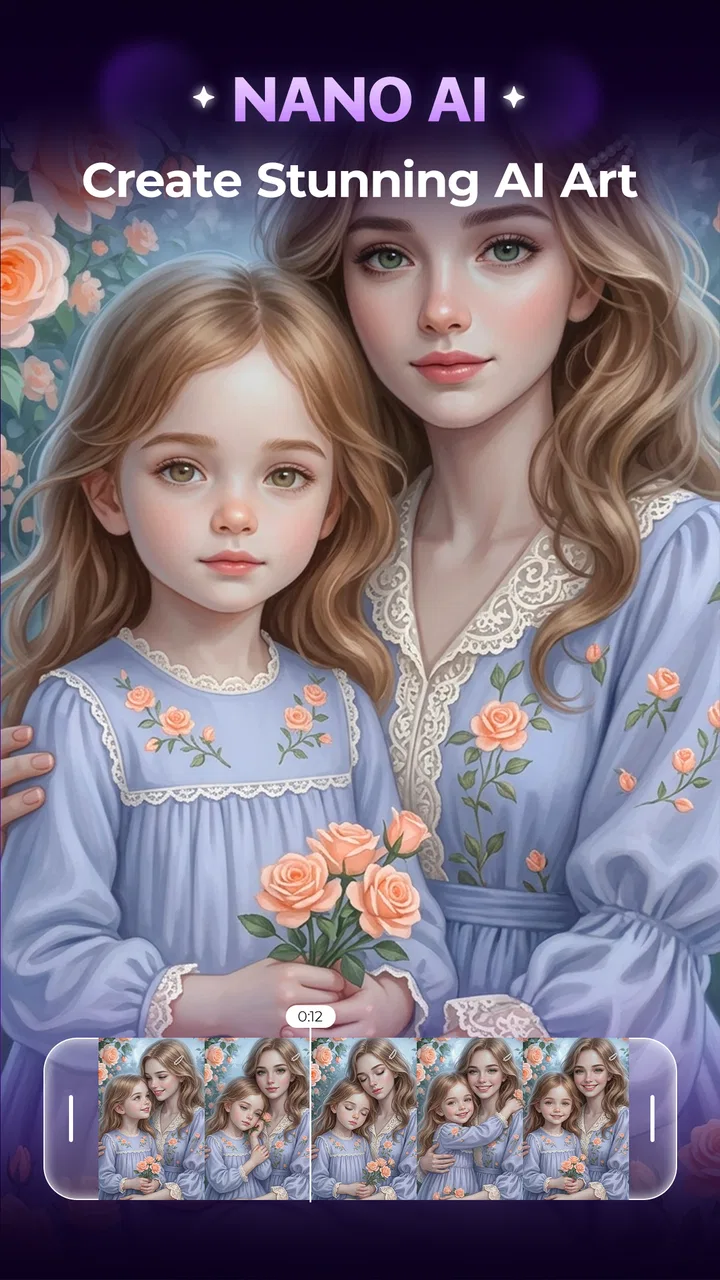
Nano AI - AI Art Generator
- 3.7
- Rating
- 1.00M
- Installs
- Free
- Price
 Analysis by App-foxy
I tried Nano AI - AI Art Generator as a quick creative tool for turning simple ideas into images and short visual concepts. It sits in the Photography category, but it feels closer to a compact AI studio than to a traditional camera editor. Instead of beginning with a photo from your gallery and adjusting exposure or color, you begin with an idea and let the app help shape the result.
That difference matters in a household or shared-device setting. One person might use it to make a birthday illustration, another might create a profile image, and someone else might experiment with an AI video concept. The app is free to install, and Fusion Flow Tech presents it as a tool for creating visuals with AI photo and video generation. My overall impression is positive but measured: it is approachable for casual experiments, while people expecting precise professional editing should understand what kind of tool they are opening.
How Nano AI fits into everyday shared use
When I think about shared use, the useful question is not only what each person can create, but how a group can keep a small project clear from its first idea to the version they actually want to share. I’d treat Nano AI as a place to brainstorm together, then agree on a simple handoff before anyone starts changing the direction. That makes it easier to turn a casual session into a result everyone understands.
You May Also Like

 Blood Strike: 2.5 Anniversary
Blood Strike’s Loadouts Turn Every Drop Into a Tactical Gamble
A close look at Blood Strike’s custom loadouts: how fast access to signature weapons reshapes its battle royale rhythm, rewards preparation, and narrows the gap between fights.

 Pandora - Music & Podcasts
Pandora’s Music Is Easy to Start, but Harder to Recover
Pandora’s strength is its low-effort path from a seed to a station. Its weak spot is how much confidence it asks you to place in connection, setup, and quiet recovery.

 8 Ball Pool
 Is Built on Rivalries, Rematches, and Routine
A close look at the rivalries, rematches, shared routines, and unanswered safety questions that turn a quick pool match into a persistent mobile community.

 Samsung Music
’s Quiet Strength Is Playing What You Already Own
Its reach comes less from spectacle than from dependable access to a personal library. That simplicity is both the app’s strongest retention engine and its ceiling.

 AccuWeather: Weather Radar
AccuWeather Review: A Quick, Clear Forecast for Everyday Decisions
For everyday plans, the best forecast is the one you can understand quickly. AccuWeather makes rain timing, radar, and local conditions easy to act on, with a few trade-offs.

 Hill Climb Racing
Why Hill Climb Racing Still Turns Crashes Into One More Run
A tiny car, a bumpy hill and one more upgrade: Hill Climb Racing keeps resurfacing because its simple chaos makes every near-miss feel personal.
More From Our News Desk



A useful creative stop on a family tablet
A realistic use case is a shared tablet in the living room. A parent may want a playful invitation image, a teenager may want to explore different visual styles, and another household member may simply want to see what happens when an ordinary idea is described in a more imaginative way. Nano AI works well for this kind of low-pressure activity because the starting point is an instruction rather than a complicated editing timeline.
I would use it when the goal is to explore possibilities quickly. For example, if I were planning a small party, I could try a colorful illustration, compare a few moods, and choose a direction before making the final design elsewhere. That workflow is more practical than treating every generated image as finished artwork. The app is strongest at helping me move from a vague thought to something visible.
It is also suitable for a shared creative session where people take turns suggesting ideas. One person can describe a scene, another can adjust the mood, and a third can decide which result feels closest to the original intention. This makes the app more engaging than a conventional filter tool, because the conversation around the prompt becomes part of the activity.
There is a trade-off, though. Shared use can become confusing if everyone assumes the app will preserve a clear personal workspace or separate each person’s creations automatically. I would not rely on a communal device to keep creative work neatly divided unless the app’s own interface makes that separation obvious during use. Before starting an important project, I would save or export the result promptly and avoid leaving private ideas visible on a device used by other people.
What the app is better at than a normal editor
Traditional photography apps are better when I already have a picture and know exactly what needs changing. They give me direct control over cropping, brightness, sharpness, color balance, and similar adjustments. Nano AI takes a different route. Its value is in generating a visual direction from words, which is useful when I do not have a suitable source image or when I want something that would be difficult to photograph.
Compared with a basic collage or sticker app, it offers a more open-ended starting point. I am not limited to a fixed collection of decorative elements. At the same time, that freedom can make the result less predictable. A conventional editor behaves consistently when I move a slider; an AI generator may interpret the same idea in a way that changes details I intended to keep.
For social posts, mood boards, playful illustrations, and early visual planning, that unpredictability can be part of the fun. For product images, formal documents, accurate portraits, or work that depends on exact text and proportions, a conventional editor or a specialized design application is usually the safer choice.
Setting up a sensible boundary before creating
The app is free, which makes trying it easy, but in-app purchases range from $4.99 to $29.99 per item. On a shared phone or tablet, I would treat that as an important setup issue rather than an afterthought. The safest habit is to make sure the device owner understands how purchases are handled before children or guests begin experimenting. A free installation does not mean every part of the experience is necessarily free.
I would also establish a simple household rule: casual experiments are fine, but no one should approve a purchase or use another person’s account without asking. That rule is especially useful when several people share one device and the app is being explored for the first time. It avoids turning a harmless creative session into an argument about an unexpected charge.
Another boundary concerns the material used as inspiration. I would avoid entering private family details, confidential work information, or sensitive photographs unless I had a clear reason to do so and was comfortable with the app’s handling of that material. AI creativity is easiest to enjoy when the input is ordinary and non-sensitive. A fictional scene, a public event, or a general design idea is a better starting point than personal information that does not need to be included.
The minimum operating system is Android 9, so compatibility should be straightforward for many older Android devices that are still in use. That is helpful for a household tablet, although the experience can still vary with screen size, available storage, and the device’s general performance. I would test a short, simple creation first rather than beginning with a large project on an older device.
Coordinating several people without stepping on each other’s work
When more than one person uses a creative app, coordination matters as much as the generation itself. I found it helpful to decide who is leading each project and who is only suggesting changes. Otherwise, a promising idea can become a string of unrelated revisions, with nobody remembering which version was the best.
A practical method is to keep prompts focused. Start with the subject, then add the setting, mood, and visual style. If the first result is close, change one element at a time instead of rewriting everything. This makes it easier to understand which instruction improved the image and which one caused an unwanted change. It also helps children learn that creative tools respond better to clear direction than to a long list of conflicting wishes.
I would save a preferred result before inviting someone else to continue. AI generation encourages experimentation, and a later attempt may be interesting but less useful. Preserving the version that already works prevents a shared session from becoming frustrating. This is a small workflow habit, but it makes a noticeable difference when the device passes between several people.
For a household project, I would also agree on the purpose before generating. Is the image only for fun, or will it be printed, posted, or used in an invitation? A playful result may be perfectly good for a private screen background but unsuitable for a public announcement if important wording, faces, or recognizable details are not accurate. The app can help with the visual idea, but the final responsibility remains with the person sharing it.
Age, trust, and the meaning of an Everyone rating
Nano AI has an Everyone content rating, which makes it easier to consider for general household use. I still would not interpret that as a substitute for supervision or conversation. An age label describes the broad content context, while actual suitability depends on what someone chooses to type, generate, save, and share.
With younger users, I would demonstrate the app first and explain that generated pictures are interpretations, not reliable facts. A child may assume that a convincing image represents something real, especially when the result looks polished. Showing how a small prompt change can produce a completely different scene is a useful way to build healthy skepticism.
Trust also applies to images of real people. I would ask permission before using a family member’s photograph or making an image intended to resemble someone else. Even when the purpose is harmless, the person being represented should know what is being created and where it might appear. This is particularly important on shared devices, where a generated image may be seen by people who were not part of the original conversation.
I would be cautious with public posting as well. An AI-generated visual may look finished while still containing odd details, inaccurate lettering, or an unintended resemblance to a person. Before sharing, I would inspect the entire image at full size and ask whether the result could mislead someone. That extra check is more important than the speed of generation.
Making the most of photo and video generation
The app’s appeal comes from covering both AI photo generation and AI video generation, so it can support more than a single still image. I would begin with a still concept even when my final goal is video. A strong visual idea is easier to evaluate as one frame, and this lets me refine the subject and mood before thinking about motion.
For a short video concept, I would keep the prompt visually simple: one main subject, a clear environment, and one obvious action. Crowding the description with many characters and changes makes it harder to judge what the generator is trying to prioritize. This is one of the most useful practical lessons with generative tools: a narrower brief often produces a result that is easier to use.
I would also separate “inspiration” from “delivery.” Nano AI can help me discover a look, storyboard a mood, or create a starting point, but I would not automatically treat every output as ready for a polished campaign or important family announcement. If exact timing, consistent characters, readable text, or precise branding matters, a dedicated video editor remains more dependable.
The same distinction applies to portraits. AI can produce an attractive character or stylized face, but a person looking for a faithful family portrait may prefer a normal camera and a retouching app. Nano AI is more convincing when I want interpretation rather than strict documentation.
Where the current version feels comfortable and where it needs patience
The current version is 1.5.7, and my experience with the app is that its main strength is immediacy. I can approach it with a rough idea instead of learning a large set of controls. That makes it less intimidating than a professional creative suite and more useful for a quick break, a classroom-style activity, or a household brainstorming session.
The main friction comes from the nature of AI generation itself. Results can require several attempts, and the first output is not always the one I would keep. That means the app rewards patience, but not necessarily the patience required by a full editing program. I can accept a few variations for a birthday card or a personal experiment; I would be less comfortable relying on it when a deadline demands a predictable result.
The average rating is 3.7 from around 13 thousand ratings, while the app has passed one million installs. I read that combination as a sign of broad interest with room for individual differences in satisfaction. It is popular enough to attract substantial use, but the rating does not suggest that every user will find the experience flawless. My own view matches that middle ground: enjoyable and accessible for the right task, but not a universal replacement for established photography and design tools.
The app is free and developed by Fusion Flow Tech, which lowers the barrier to testing it. Still, I would make the purchase boundary clear on any shared device and decide in advance whether experimentation is worth paying for. If someone only needs one occasional visual, trying the free experience may be enough. If they plan to generate frequently, they should first understand how the available paid items fit their habits instead of assuming that more spending automatically produces better creative decisions.
Who should choose it, and who should look elsewhere
I would recommend Nano AI to someone who enjoys visual experimentation, wants to turn a sentence into an image, or needs a quick starting point for a creative project. It is especially appealing to casual users who find professional editing software too dense. A student planning a presentation, a parent making a playful invitation, or a hobbyist exploring styles can all get value from the fast idea-to-visual workflow.
I would also recommend it for households that can agree on simple rules about purchases, privacy, and saving work. The shared-device angle works best when people communicate rather than treating the app as a private archive. Clear ownership of each project prevents accidental overwriting, unwanted sharing, and confusion about who approved a purchase.
I would skip it if my priority were exact photo correction, dependable typography, detailed layer control, or consistent editing across a large collection of images. In those cases, a traditional photo editor is the better tool. I would also choose a dedicated video editor when I need precise cuts, audio timing, captions, or repeatable motion. Nano AI can contribute ideas to those workflows, but it should not be mistaken for the complete production environment.
People who dislike trial and error may find the experience tiring. The app asks me to judge variations and refine my instructions, which is enjoyable when discovery is the point but inefficient when I already know exactly what the final image must be. That is the clearest situation in which I would tell a friend to use something else.
My household verdict
After using it as a flexible visual playground, I see Nano AI as a good fit for shared creative moments rather than a replacement for every photography app. Its combination of AI image and video generation makes it more versatile than a simple filter tool, and its free entry point makes casual testing easy. The important word is “playground”: it helps me explore, compare, and develop an idea, but I still need to review the result carefully before treating it as finished work.
For a household, I would install it only after agreeing on who may use the device, how purchases are handled, and which kinds of photos or personal details should stay out of prompts. I would keep projects short, save good results early, and check every image before sharing it. Those habits address the practical issues more effectively than expecting the app to manage family coordination for me.
My recommendation is to try it when the goal is creative discovery, not precision. If you want a quick way to turn an idea into an unusual visual, Nano AI is worth exploring. If you need faithful portraits, exact layouts, or professional control, keep a standard photo or video editor nearby. Used within that boundary, it is an approachable addition to a shared device and a surprisingly handy way to get a visual conversation started.
FAQs for Nano AI - AI Art Generator
01What is Nano AI - AI Art Generator?
Nano AI - AI Art Generator is an app that utilizes advanced artificial intelligence to create stunning artwork from simple text prompts or images. It's designed for both casual users and artists looking to explore new creative avenues, providing a wide range of styles and customization options.
02How does Nano AI generate art?
Nano AI uses sophisticated machine learning algorithms to analyze input data, whether it's text or an existing image, to generate art. The AI can mimic various styles, from abstract to hyper-realistic, allowing users to experiment and discover unique artistic expressions effortlessly.
03Is Nano AI suitable for beginners?
Yes, Nano AI is user-friendly and suitable for beginners. The interface is intuitive, providing step-by-step guidance to create artwork. Users don’t need any previous experience in art or AI technology to start producing professional-quality artworks with just a few taps.
04What features does Nano AI offer?
Nano AI offers a variety of features including customizable styles, resolution options, and the ability to tweak color palettes. Users can also save and share their creations directly from the app. Additionally, it supports layering and blending, enabling more complex artistic compositions.
05Are there any costs associated with using Nano AI?
Nano AI is available for free with basic features. However, to unlock premium features such as higher resolution outputs, exclusive styles, and no watermarks, users may need to subscribe to a paid plan. There are often free trials available to test these premium features before committing.
Pros
- Easy-to-use interface for all skill levels.
- Generates high-quality
- detailed AI art.
- Offers a wide variety of artistic styles.
- Quick processing time for generating art.
- Regular updates with new features.
Cons
- Limited free version features.
- Occasional app crashes reported.
- Requires internet connection to function.
- Some styles may appear similar.
- In-app ads can be intrusive.

Nano AI - AI Art Generator
Gallery